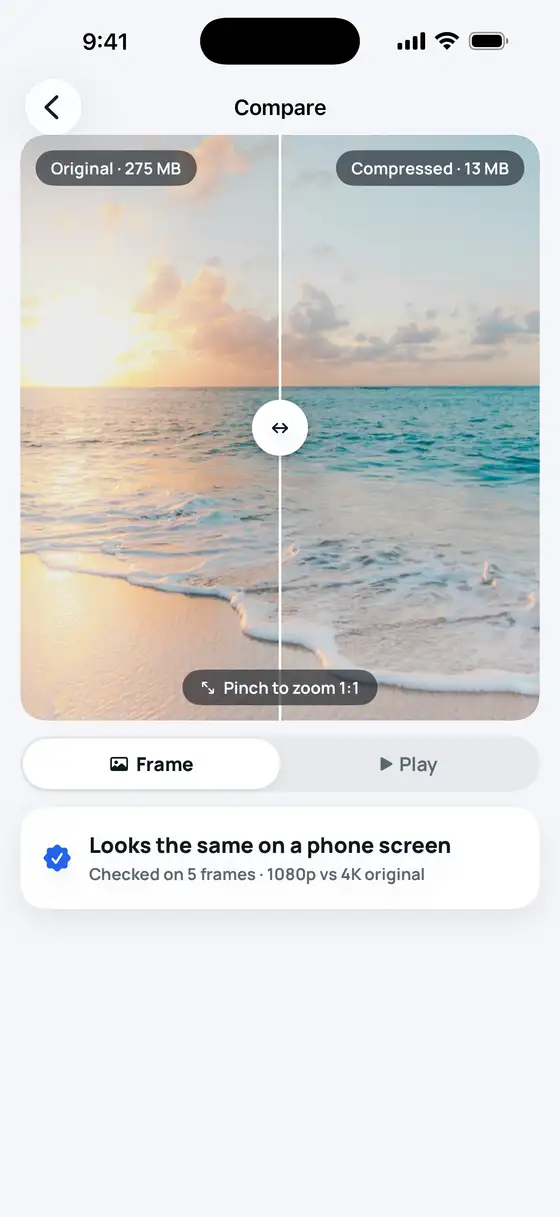
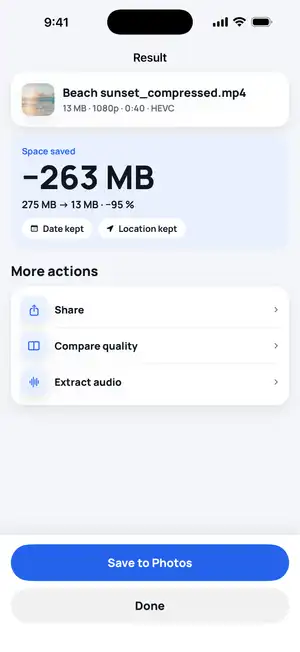
275 MB → 13 MB
Size forecast
Size forecast before you start
Pick a video and see the expected size instantly — plus why it shrinks: extra bitrate, 4K on a phone screen, HEVC.
BEFORE1.1 GB
AFTER≈ 28 MB
−97 %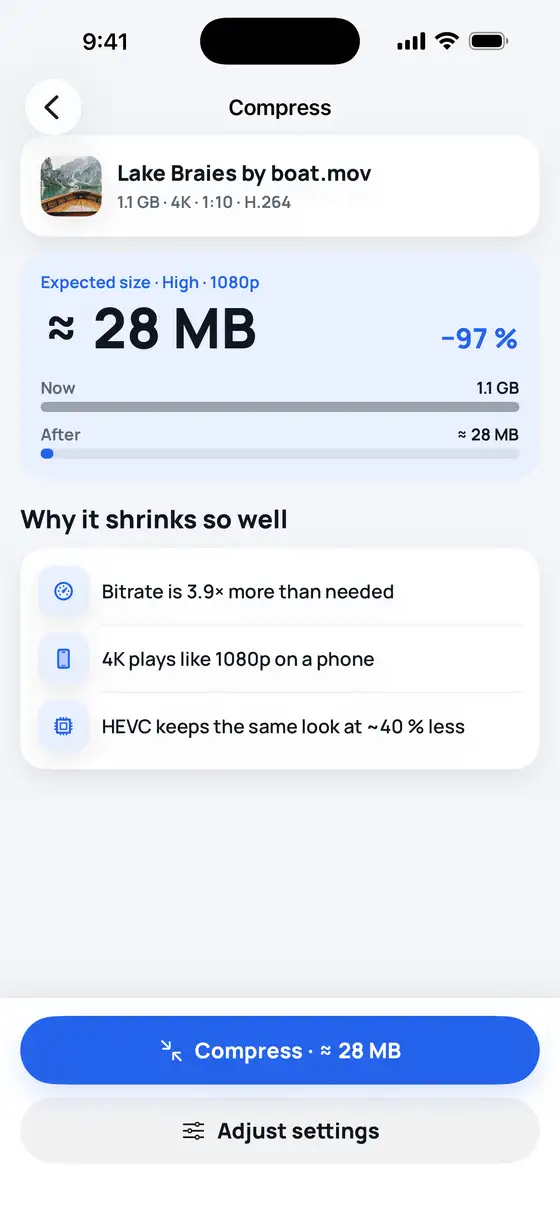

Video Compressor
Handy Apps · Photo & Video
Hit the exact size for WhatsApp, email & Discord and free up iPhone storage — all on-device, nothing uploaded.
Features
Size forecast
Pick a video and see the expected size instantly — plus why it shrinks: extra bitrate, 4K on a phone screen, HEVC.
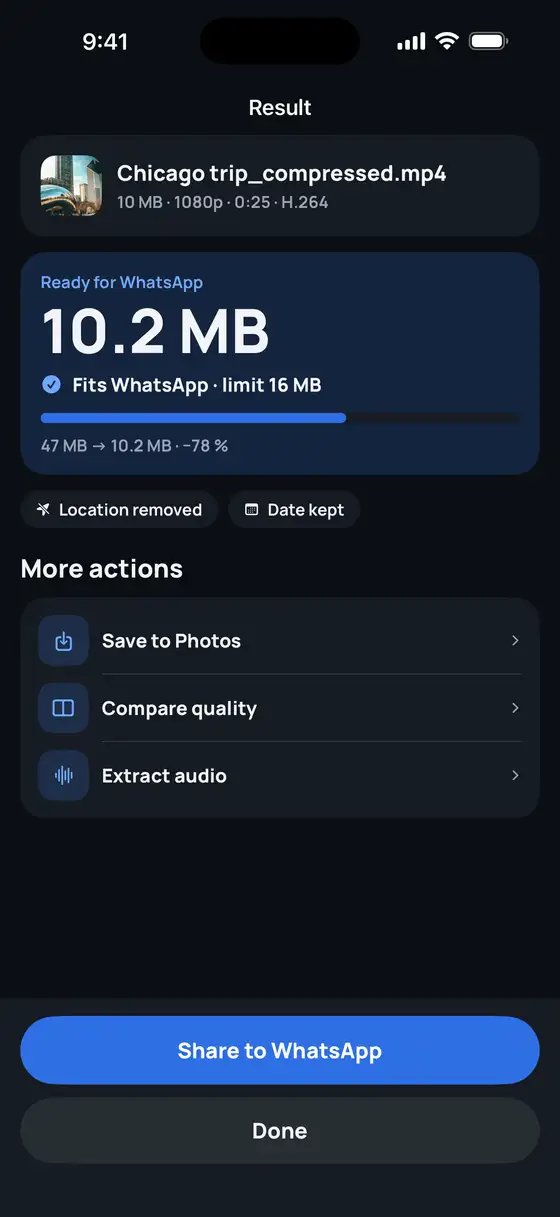
Target size
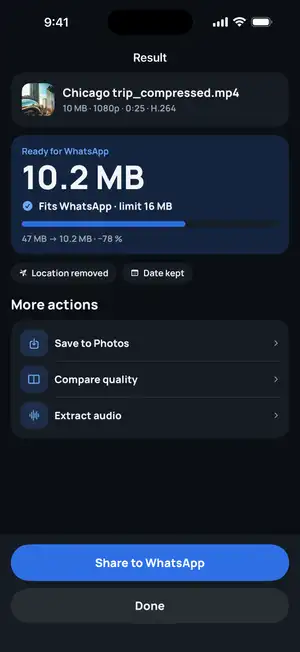
Choose WhatsApp, email or Discord and it aims just under the limit. 47 MB becomes 10.2 MB — under WhatsApp's 16 MB on the first try.
Quality check
A phone shows 1080p, so 4K originals shrink with no visible difference. Compare side by side and pinch to zoom 1:1 before you save.
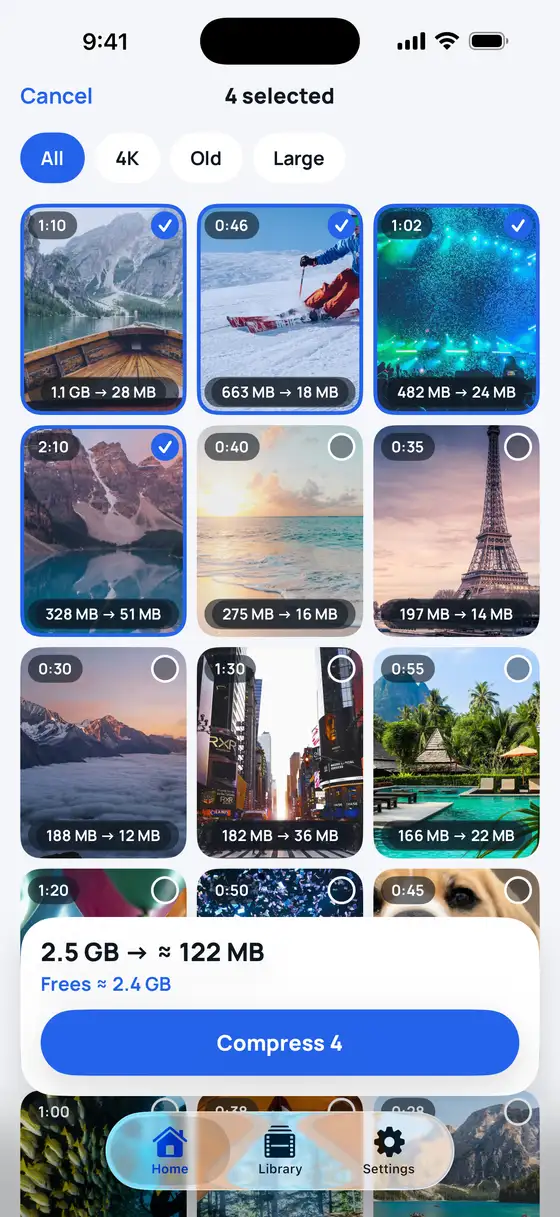
Batch
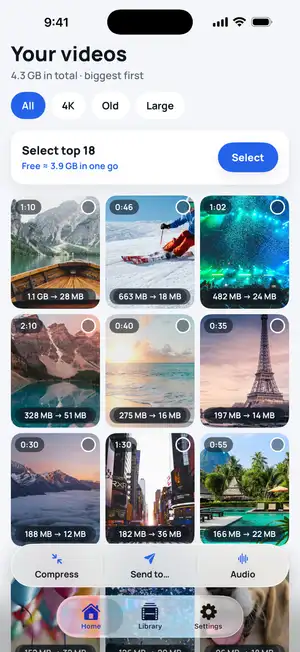
Sort by Biggest to see which videos take the most space. Select several and compress them in one batch — date and location are kept.
How it works
Your newest videos come first — or sort by Biggest. Each shows the size it will shrink to.
Keep the quality, hit a limit like WhatsApp's 16 MB, or set an exact size.
Save to Photos with the date kept, or share straight to WhatsApp or Mail.
Made for
16 MB per video — hit it exactly
Fits Gmail's 25 MB attachment limit
Fits the free 20 MB upload limit
Smaller files send in seconds
Share in full HD, not a blurry copy
Guide coming soon
Shrink the biggest videos first
Bonus
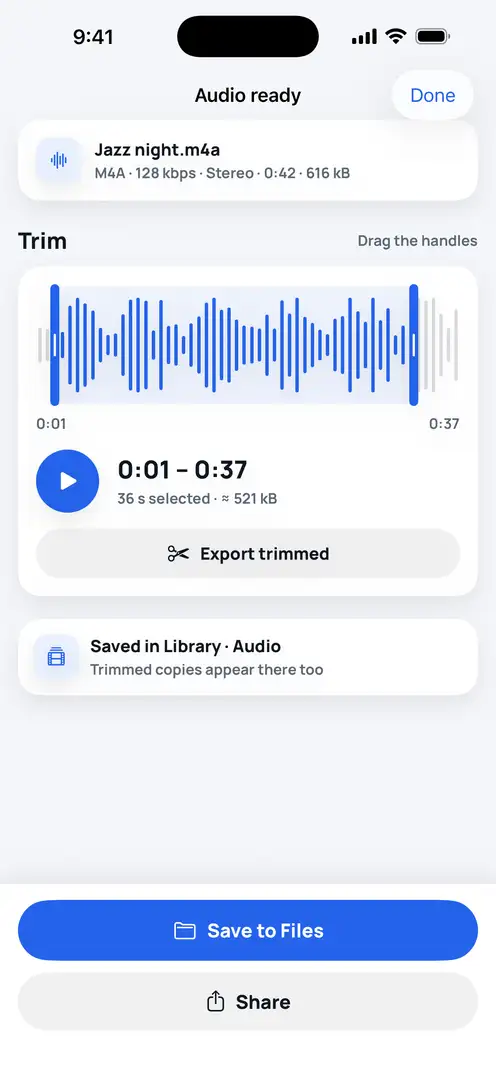
Save the soundtrack as M4A, trim it with handles and find it later in your Library. A 0:42 clip is about 616 kB.
Compression runs on-device with Apple's video encoder. No account, no cloud copy.
Compression runs on your iPhone. Videos stored in iCloud download first.
Open the app and start. No email, no profile.
The date is kept; keep or remove the location.
FAQ
Still stuck? Write to support — a real person answers, usually within a day.
Contact support →Yes. Download and compress for free with no ads and no account. Premium (optional, in-app purchase) unlocks 1080p/4K, HEVC, batch compression, every Send-to target and lossless audio.
It re-encodes the video at a lower bitrate and, if you choose, a lower resolution. On a phone screen the result looks the same; use Compare to check side by side before saving. The app never makes a file bigger than the original.
WhatsApp shares videos up to 16 MB in a regular chat message. Pick WhatsApp in Send to and the app aims just under that limit.
Yes. Saved copies keep the original date and location and go to a «Compressed» album. You can remove the location before sharing.
No. Compression happens on your iPhone. Your videos are never uploaded.
Any video from Photos or Files that iPhone can play (MOV, MP4, H.264, HEVC, 4K and HDR). Export as MP4 or MOV, H.264 or HEVC.
Guides

· 8 min read
· 8 min read
· 6 min read